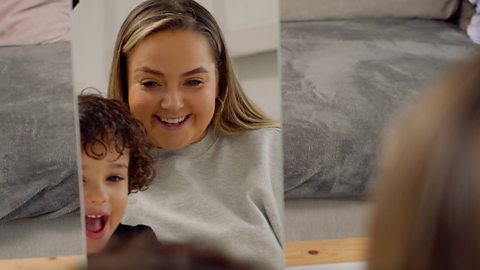
From learning new words to building relationships with grandparents, there can be benefits to your child’s screen time.
As parents, we spend a lot of time worrying and feeling guilty about how much time our children spend watching TV and tablets, but, used in the right way, your devices can provide opportunities for learning.
The Department of Education has released new guidance, which recommends limits on screen time for under-fives as well as setting out recommendations for the sorts of content young children should be consuming.
Speech and language therapist Alys Mathers says, “Rather than thinking of all screen time as bad, it's more helpful to think about what is on the screen, and how much interaction the child has with you while watching.
“Making screen time a shared experience, watching something together and then talking about it, helps your child get the most out of learning from what they've just seen."
Clinical psychologist Dr Martha Deiros Collado agrees: "Not all screen time is created equal and the new report on screen time is a helpful guide for parents of under-fives.
"Parents have been asking for this guidance and it’s clear that the aim is to support and guide rather than shame and blame."

How much is too much screen time?
The Department for Education recommend no more than one hour of screen time per day for under-fives. For children under two years old, they suggest no screen time except for shared, interactive use.
Shared screen time might include video calls or looking at photos together.
It’s all about finding the right screen time balance that works for you and your child.
“Recent evidence and research suggests we should be thinking about the quality of screen time rather than just the quantity”, says Alys.
“That means making sure what your child is watching or doing is at the right level for them, using sentences and vocabulary at the level they can understand and use, or a small step up - not too 'young' or 'old' for them."
The report places emphasis on the importance of making screen time a shared experience in order to maximise children's learning.
Six tips for using screens in a positive way
Try these top tips for helping your child get the most out of their time using devices.
1. Let your child take photos
Using a device doesn’t just mean watching a TV show or using an app. You and your child can use your phone to take photos of what they’re doing.
“Looking back at photos of their day is a fun way to remember and talk about experiences”, says Alys.
“Being asked, ‘What did you do today?’ is really hard for children. They have to try and remember what they did, what was important and find the words for it.
“Having a photo of their activity makes it so much easier to share what they did with someone who wasn’t there.”
2. Use screens together
Make screen time something you do with your child.
“Stay with your child when they’re on a device”, says Alys. “It’s not about sitting next to each other with you on your phone too. Join in and watch or play together. Talk about what is on the screen.
“If they’re watching a TV programme like Topsy and Tim for example, you can talk about what they’re doing - going camping or going to the zoo. It’s a great way of learning about situations your child might go on to experience themselves, and talking about what it’s like. After you’ve watched, you could also act it out together.”
Remember, for children under two, all screen time should be supervised co-viewing.
3. Watch the right content
Make sure the app, game or programme is suitable for your little one.
“It’s important that the content your child watches is at the right level so they understand it and aren’t just passively watching it”, says Alys.
“They need to understand the language and what is going on but you also want it to stretch them a bit. Watching a programme or playing a game can be a way of introducing new words they might not know yet, with your help to then reinforce the learning.”
The Department for Education says that video content and TV shows for under-fives should be…
- Slow-paced
- Predictable
- Repetitive
- Made specifically for their age group
…and should also have a recognisable story structure and message (like having a beginning, middle and end).
Martha says, "It’s great that for the first time, fast-moving and stimulating content is being named as unhelpful to little ones.
"We know smartphones were never created for young children but this is a clear statement on not offering short-style online videos to entertain or distract little ones.
"Co-viewing shows like Hey Duggee and Beddy Byes that are repetitive and gentle can help parents talk about colours, shapes, kindness, friendship… and as a bonus we know it can help build vocabulary and complement some of the learning your child does every day with you."
4. Play games on the CBeebies Learn app
There are loads of educational games your child can play to help them learn words and numbers.
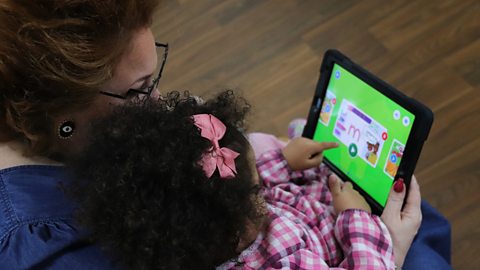
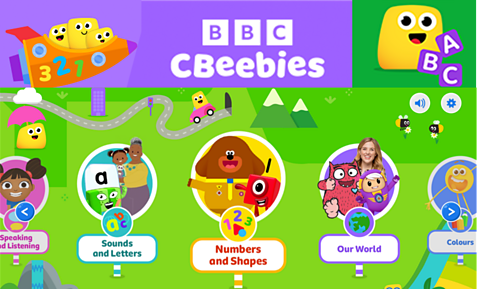
The CBeebies Learn app has games based around early learning skills, including maths, literacy and communication, with familiar faces like Hey Duggee and JoJo & Gran Gran.
It's free, there are no adverts and no in-app purchases and downloaded games can be played offline and on-the-go wherever you are.
Alys has some advice to help you make the most of educational games: “Make sure it’s child-led and interactive.”
“This doesn’t just mean your child interacting with what’s on screen, you can join in too! For slightly older children, see if they can tell you how to play the game. Talk about what they like about the game and use it as a jumping off point for conversation.”
Download the CBeebies Learn app. game
Discover fun games and educational videos which will help children get ready for starting school
5. Press pause
Children need repetition to help them learn, says Alys. You can help them with this on their device.
“You can pause what they’re watching to help them take it all in”, she adds. “This is helpful if they’re watching a song with lots of actions and gives them time to join in.
“Make sure you’re singing the song and doing the actions with them! You could sing together while the song is on pause at a slightly slower pace.”
You can also rewind for them. “Some children might need to see it again to process the information, and they like to know what is coming next.”
6. Make video calls
A really fun activity is making video calls to family members.
“This has so many benefits”, says Alys.
“For children who are too young to have a phone conversation, video calls mean they can still play with friends and family who don’t live nearby.”
“A grandparent might introduce activities like treasure hunts, asking your child to get them something green or something furry. Your child can run off, get the item and bring it back. It's also a nice way of keeping social relationships.
“Talking on the phone is abstract and children don’t always associate that with talking to Granny or Grandpa. If they can actually show them their teddy or picture from nursery, and see their faces, it can help everyone join in with the catch-up.”