
To sign out of your BBC account on the iPlayer TV app:
- Open the BBC iPlayer app on your TV, games console or connected TV device
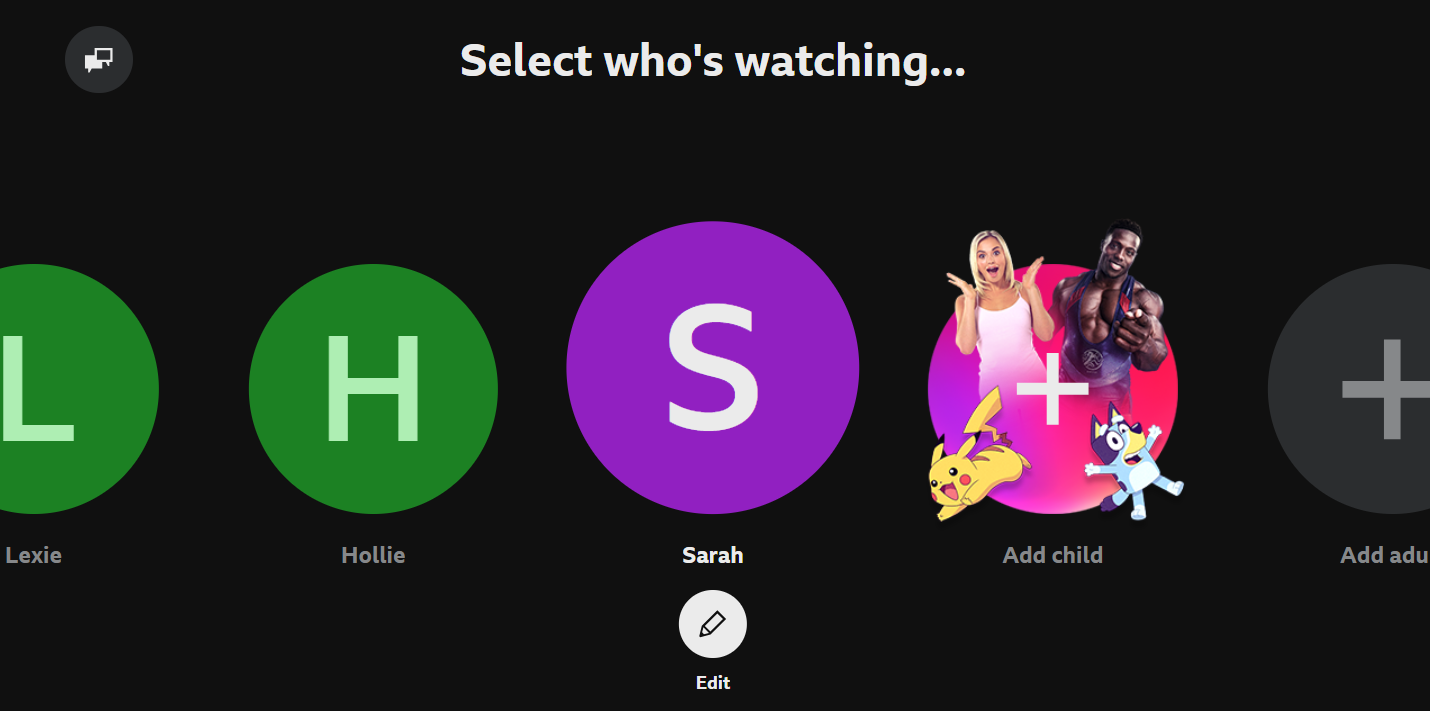
- On the 'Select who's watching...' page, scroll to - but don't select - the account you'd like to sign out of
- Scroll down to 'Edit' underneath the name and select.
- Scroll to 'Sign out.' Select and confirm.
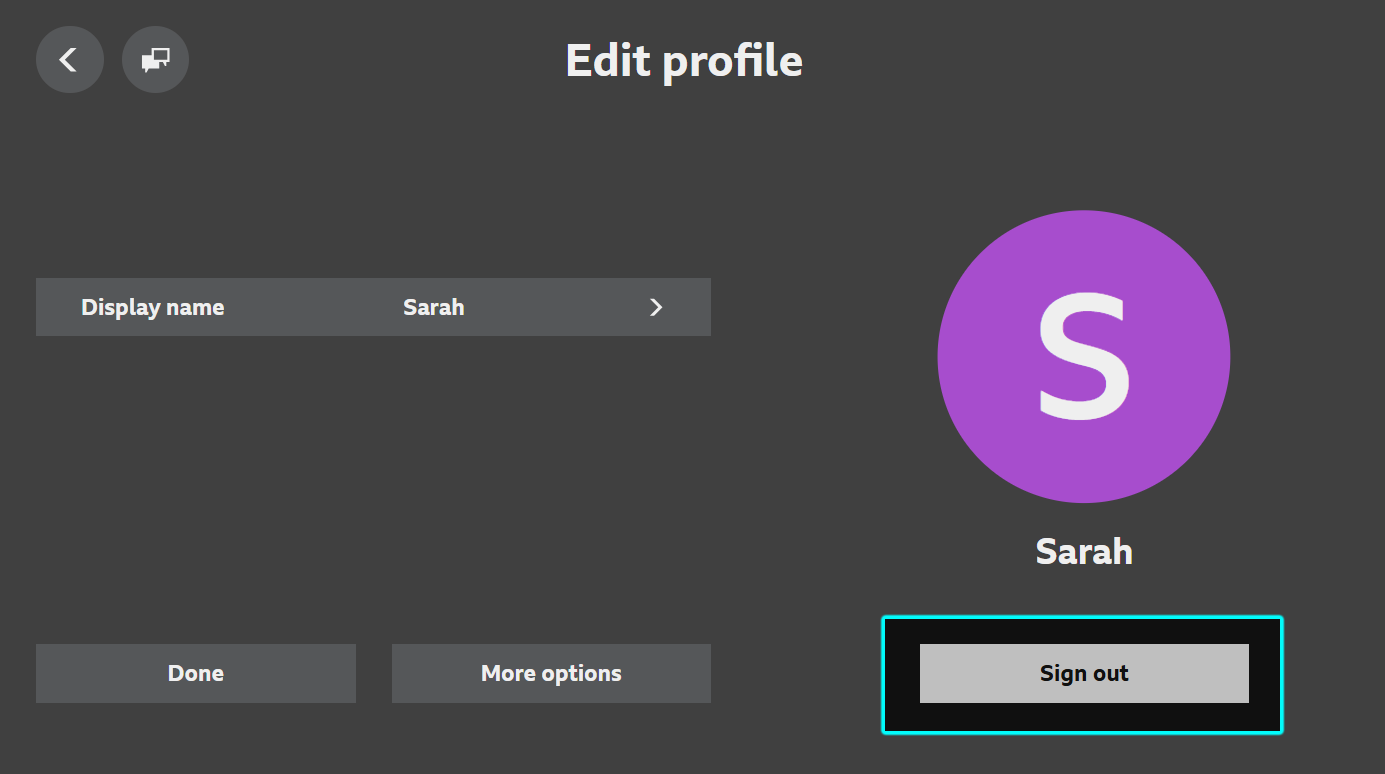
When you sign out, the account plus any child profiles attached to it, will be removed. If you sign back in, these will re-appear.
Child profiles can't be removed separately as they are connected to the adult account. To remove child profiles from your account, have a look here: How do I delete a child profile?
Can I sign out remotely?
Yes you can! You'll need to sign into your account on the BBC website and head to your account settings. In the 'Security and privacy' tab, you'll see the option to sign out remotely.
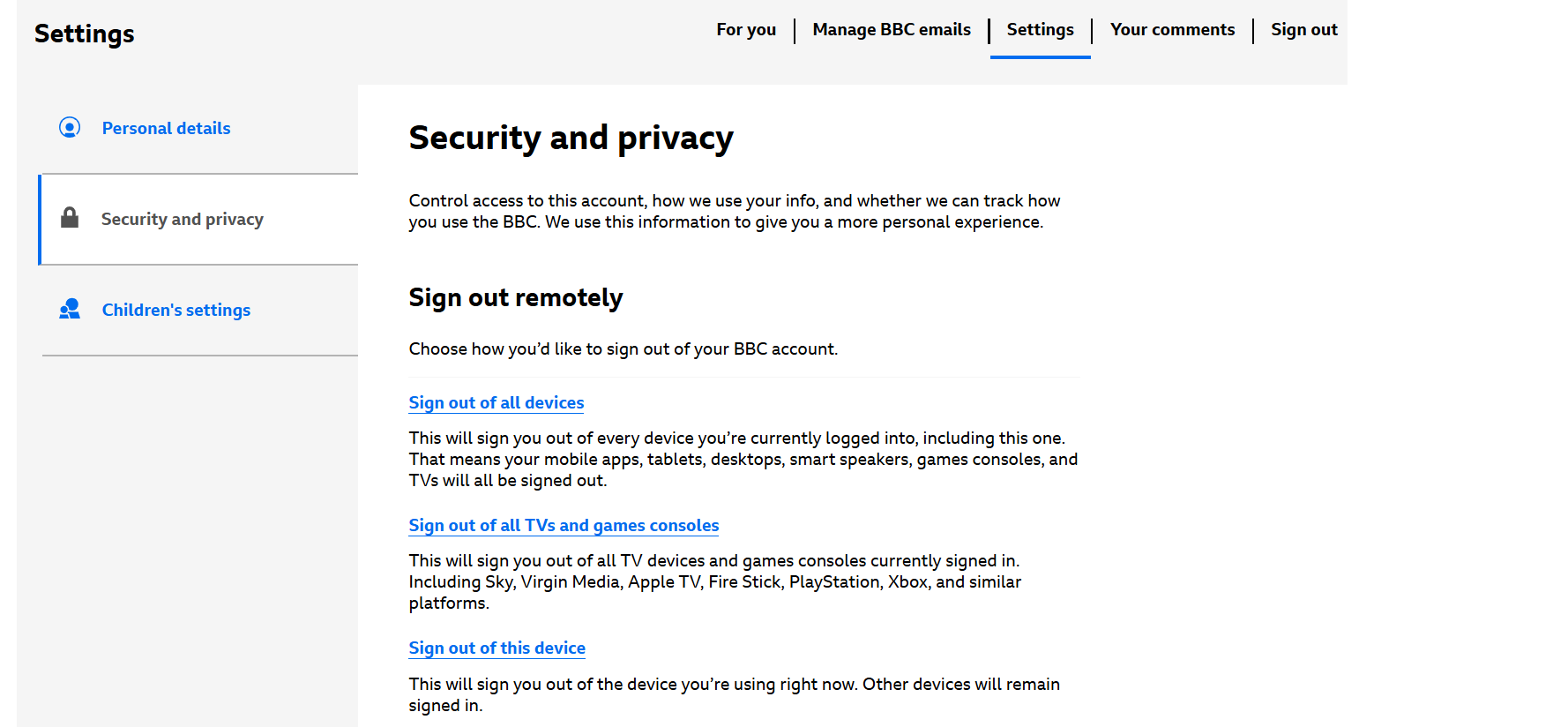
You can choose to sign out of all devices, or only TVs and games consoles. When you sign out of a TV, it may take a while to log out and the app may look like you're still signed in, but selecting a user will refresh the page and it will confirm that you're signed out.
For help signing in to BBC iPlayer on a TV, check here for steps: How do I sign in to BBC iPlayer on my TV?
