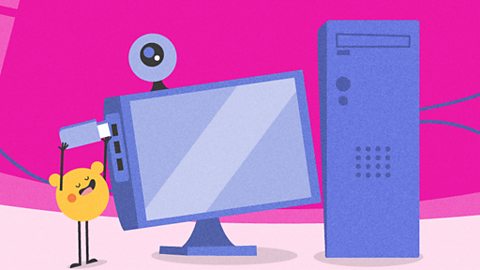
What causes a computer bug?

When we learn to write a story, we sometimes make mistakes.
We might make a spelling mistake by typing letters in the wrong order. We might put a sentence in the wrong place which will make our story confusing.
It's the same when we learn to write a computer program. We can make mistakes.
Mistakes in a computer program are called bugs.
It's okay to make mistakes when you are learning. Almost every computer program will have a bug in it at some point. Finding and fixing these bugs helps us to learn.
Watch: What are computer bugs?
NARRATION: When we say that a computer program has a bug, we don't mean it has ants or beetles in it. We mean that it has a mistake in the instructions which makes the programme go wrong
MOUSE: Brush hair, brush teeth, use hairbrush and toothpaste.
NARRATION: If a computer is given the wrong set of instructions, it won’t know it. It will follow the instructions step-by-step even if they have mistakes in them.
MOUSE: Brush hair with hairbrush, brush teeth with toothbrush.
NARRATION: If a program goes wrong, it means that there's a mistake or a bug in the instructions. Mistakes happen all the time. All we have to do is check them and fix them, so we can get things to work properly.
How do we know when we have a bug?

We write a computer program to give instructions to a computer or digital device.
We might want to:
- make a cartoon mouse jump on the computer screen
- make a robot move around a map on the floor
We know we have a bug in our program if the computer or digital device doesn't complete the task as we expected when we tell it to 'GO'.
The cartoon mouse might walk instead of jump. The robot might go backwards instead of forwards.
How do we find the bug?

We must find the bug in our program and fix it. We can follow these steps to help us find bugs:
- Watch what our computer or device does when we tell our program to GO.
- Look at each little step to see if our computer or device is doing the right thing.
- Check to see if the mistake is at the beginning or near the end.
This is called testing our program.
How do we fix the bug?
We know what went wrong so now we can find the bug in our program that caused the problem and fix it. It's just like when we correct our spelling mistakes when we write a story.
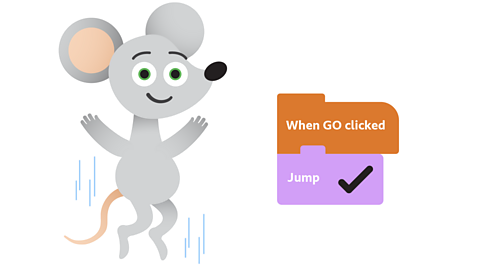
Maybe we chose the walk block instead of the jump block for our cartoon mouse program.
Maybe we put the movement arrows in the wrong order in our robot program.
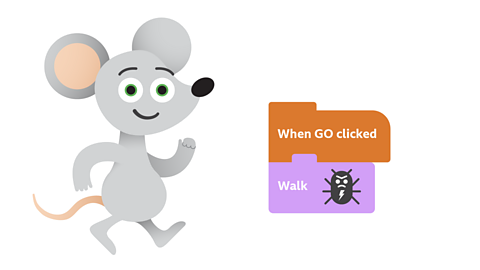
We can fix our program by removing the bug and replacing it with the correct instruction.
We also need to check all the instructions are in the right order.
Then we can test our program again to see if it works.
Key words
Have a look to learn the meaning of some important words.
Quiz
NEW Dance Mat Typing game! game
Practise your touch-typing skills with the brand-new Dance Mat Typing game.

More on Computing science
Find out more by working through a topic
- count4 of 9

- count5 of 9

- count6 of 9

- count7 of 9